 EVERYTHING


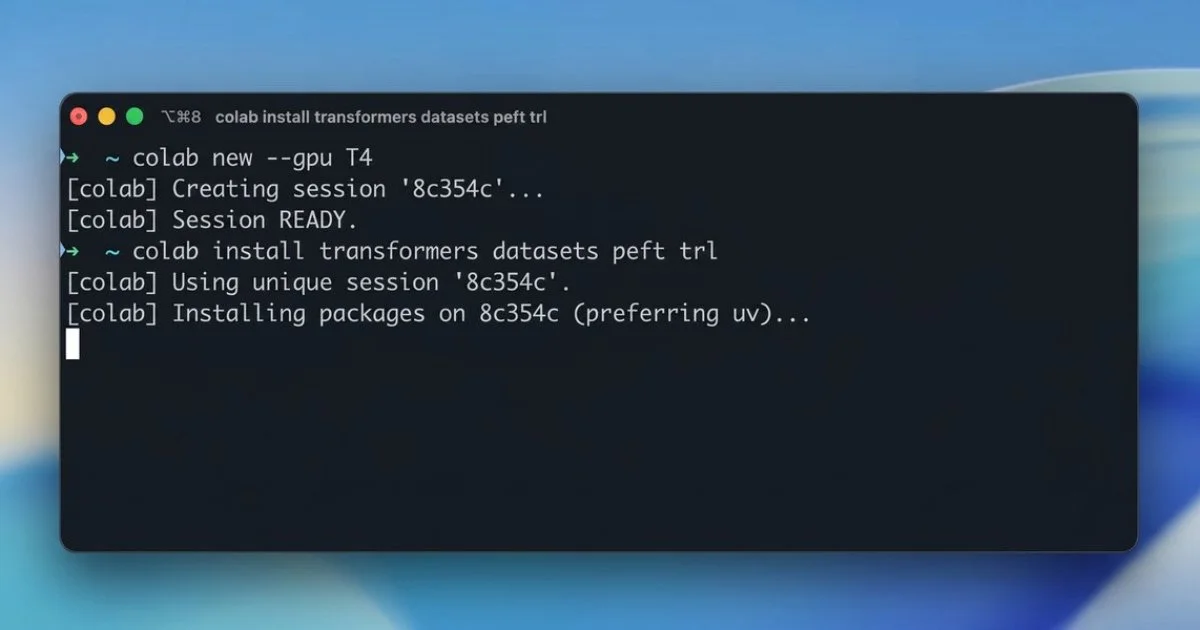
According to Infoq, Google has introduced the Google Colab CLI to bridge the gap between local development environments and cloud-based compute power. The tool allows users to provision hardware accelerators, such as specific GPU types or TPU resources, using standard terminal commands. Once a runtime is successfully initialized, developers can execute Python scripts remotely, bypassing the need for manual interaction with the traditional Colab web interface.
Automation and AI Agent Integration
A primary focus of this release is the accessibility of Colab resources for AI agents. Because the CLI operates through standard shell commands, it can be seamlessly integrated into workflows where agents already possess terminal access. To facilitate this, Google included a predefined skill file that provides specific instructions for agents on how to navigate the tool's capabilities.
In a demonstration provided by Google, an AI agent successfully performed a complex machine learning workflow entirely through CLI commands. The automated process included several key steps:
This sequence highlights how the CLI removes the friction of manual cloud infrastructure management, allowing for fully automated training cycles.
Market Context and Community Feedback
The launch aligns with a growing industry trend toward developer-centric command-line tools for remote workloads. While platforms like Modal, RunPod, and Kaggle CLI offer similar functionality, Google's tool is uniquely tailored to the Colab ecosystem, specifically integrating notebook logging and artifact management features.
Early community feedback has been largely positive regarding the reduction of friction in GPU access. Developer Fedir Martynov noted the importance of avoiding browser-based authentication loops for agents, stating: "Colab new, gpu T4 from terminal is actually the right shape. Hope auth/quota doesn’t turn into the usual browser loop, because that kills agents fast."
Other users expressed interest in how the tool might lower the barrier to entry for those who find command-line interfaces intimidating. Overall, the Google Colab CLI represents a significant step toward making high-performance computing more programmable and accessible for both human developers and autonomous systems.