 EVERYTHING


Docker Desktop is widely recognized for its clean interface and ease of use; however, this convenience comes with a hidden cost when deployed on Linux. According to Howtogeek, running Docker Desktop requires spinning up an internal Linux virtual machine (VM), meaning containers are executing within that VM rather than natively on the host system. This architecture creates resource consumption issues and complicates maintenance.
The Difference: System Containers vs. Application Images
Many container alternatives attempt to mimic the familiar workflow of Docker, such as Podman or nerdctl. However, Incus operates from a fundamentally different lineage. It is rooted in the LXD-style system container model, which focuses on managing complete Linux environments rather than just isolated single-process application images.
An Incus container functions much like a lightweight VM, providing comprehensive features necessary for development and service hosting. These capabilities include:
- A full init system and persistent identity
- Dedicated networking and storage profiles
- Support for snapshots and package installation
This approach allows users to SSH into the container, install services, and treat it as a small, self-contained machine.
OCI Support Changes the Equation
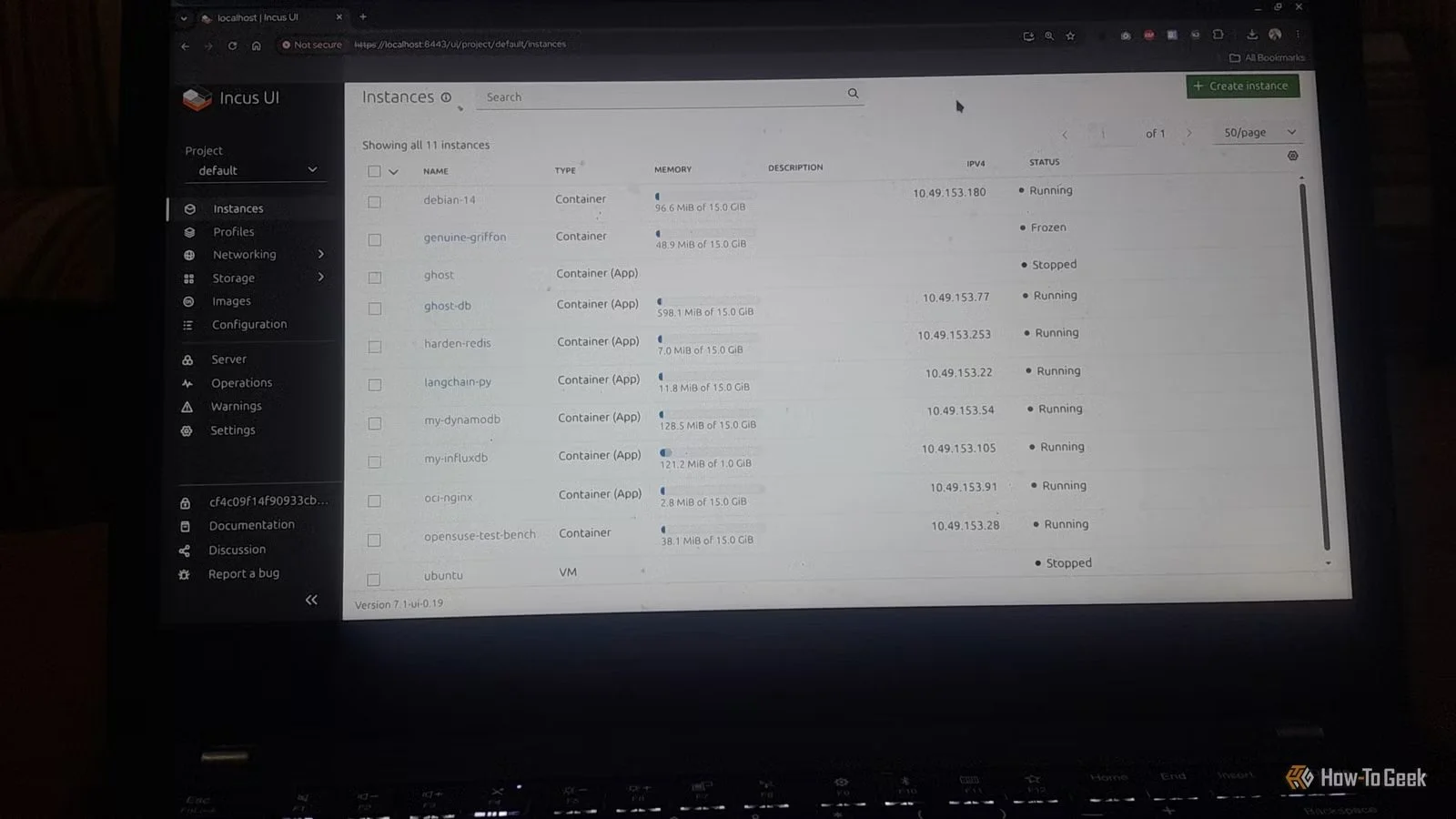
The critical shift that makes Incus a viable replacement is its growing support for OCI (Open Container Initiative) containers. While Docker popularized the workflow of packaged images, the image format itself is now largely standardized under OCI and distributed via registries like Docker Hub. By supporting this standard, Incus bridges the practical gap between traditional system containers and modern application services.
This dual capability allows developers to manage infrastructure with greater flexibility:
- System Containers: Used for persistent environments, development machines, or service hosts requiring a full Linux setup.
- OCI Application Containers: Ideal for running prepackaged services like Nginx, Redis, or small web applications when the image is already the correct unit of deployment.
While Incus may not be a perfect one-to-one replacement for complex multi-container stacks managed by Docker Compose, its ability to handle both system and OCI containers natively offers superior performance and control over local infrastructure. This transition represents a move toward more efficient, resource-optimized container orchestration on Linux.
Ultimately, the adoption of native tools like Incus signals an industry trend favoring lightweight, high-performance solutions that minimize virtualization overhead while maintaining compatibility with established container standards.