 EVERYTHING


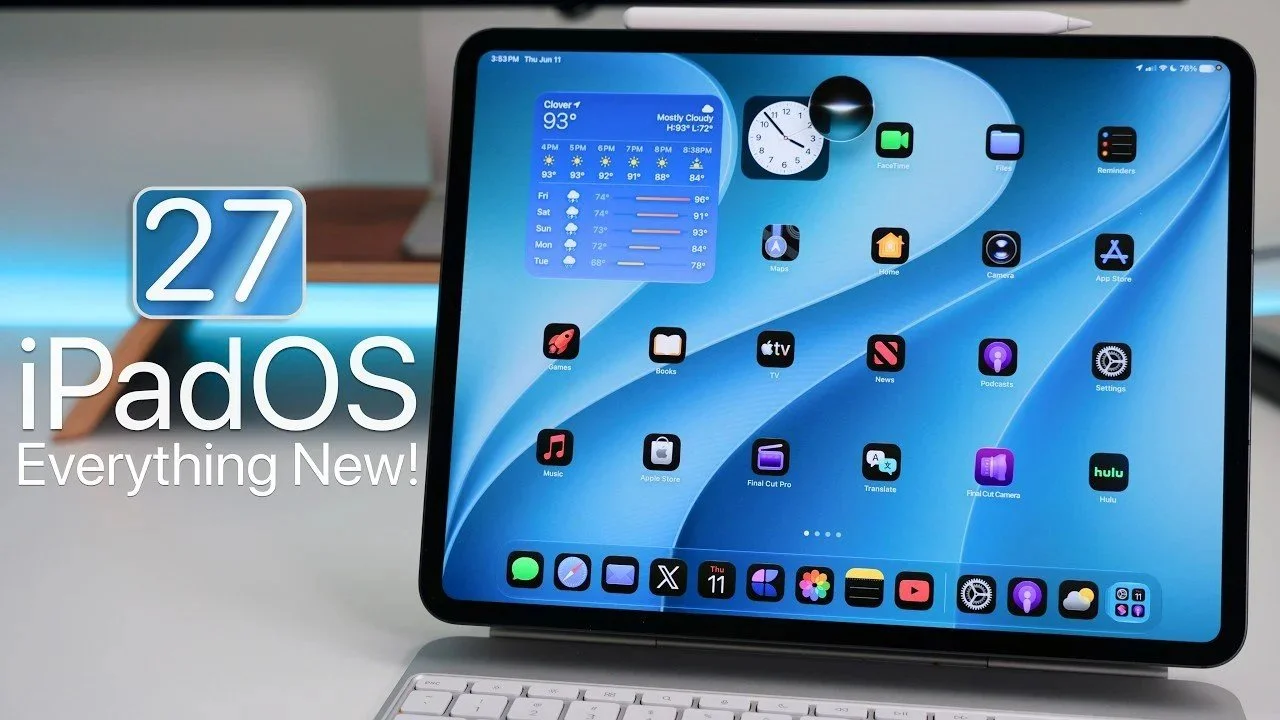
According to Geeky-gadgets, the release of iPadOS 27 Beta 1 serves as a foundational step for Apple's latest tablet ecosystem. The update aims to refine the user experience by balancing high-end performance with visual flexibility. While developers are currently testing the build, the upcoming public release is intended to provide a more stable environment for general consumers who rely on their devices for work and entertainment.
Hardware Compatibility and Performance
Apple has confirmed that iPadOS 27 will support a wide array of hardware, ensuring that both older and newer models remain viable. The supported lineup includes the iPad Mini 6th Generation, iPad 9th Generation and later, various iPad Air models (including M2, M3, and M4 variants), and multiple generations of the iPad Pro.
The software introduces several core performance enhancements aimed at increasing device responsiveness. Key technical improvements include:
- Seamless Wi-Fi transitions to maintain uninterrupted connectivity when moving between networks.
- Improved power efficiency within Safari to extend battery life during prolonged browsing sessions.
- Faster app and window transitions to facilitate smoother multitasking.
- Accelerated file transfer speeds specifically designed for productivity-heavy workflows.
Design Customization and Widget Evolution
A major pillar of this update is the expansion of user personalization options. The interface features refined app icons with higher contrast levels and a new liquid glass slider that allows users to adjust transparency effects dynamically. Additionally, the lock screen now supports dynamic wallpapers and the ability to reposition the clock for a more tailored aesthetic.
Widgets have also undergone a significant redesign to provide more utility at a glance. Users can now access extra-large widgets for essential apps such as Calendar, Music, and Weather. The Weather app specifically has been overhauled to include comprehensive precipitation and wind data. To improve navigation during multitasking, the system will now display app names in the upper-left corner of the interface.
Siri and Artificial Intelligence Integration
Perhaps the most significant technological leap in iPadOS 27 involves Siri. By leveraging advancements in natural language processing, the assistant can now better interpret conversational commands and provide more contextual responses. The update introduces new animations and text-based interaction options to make these AI features feel more intuitive. While these advanced AI capabilities are currently limited to English, they represent a major shift toward a more proactive digital assistant experience for iPad users.
These updates collectively position iPadOS 27 as a robust evolution of the platform, focusing on making the tablet a faster and more customizable tool for both casual and professional environments. The integration of refined AI and hardware-level optimizations suggests that Apple is aiming to solidify the iPad's role in high-productivity scenarios.